
Tap the three lines in the upper left.

②Tap "Account".

③Tap "Create an account".

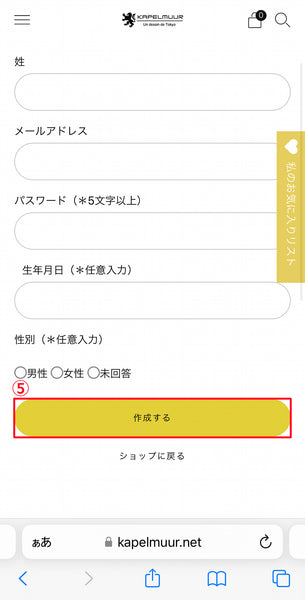
④Enter your name, email address, and password (required fields), then click “Create” in ⑤.

⑥When your account is successfully created, you will receive an email with the subject "Confirm your account." Click "Visit shop."

⑦Open the shop again, enter the information in the red box, and click ⑧Login.


